Workaro
PT Get the app
Work order and quote app

Professional work orders, right from your phone

Build the quote on the spot, document the job with photos and the client's signature, and send a professional PDF in seconds. Works even offline.
Get it on Google Play See how it works
Free to start
No ads
Works offline
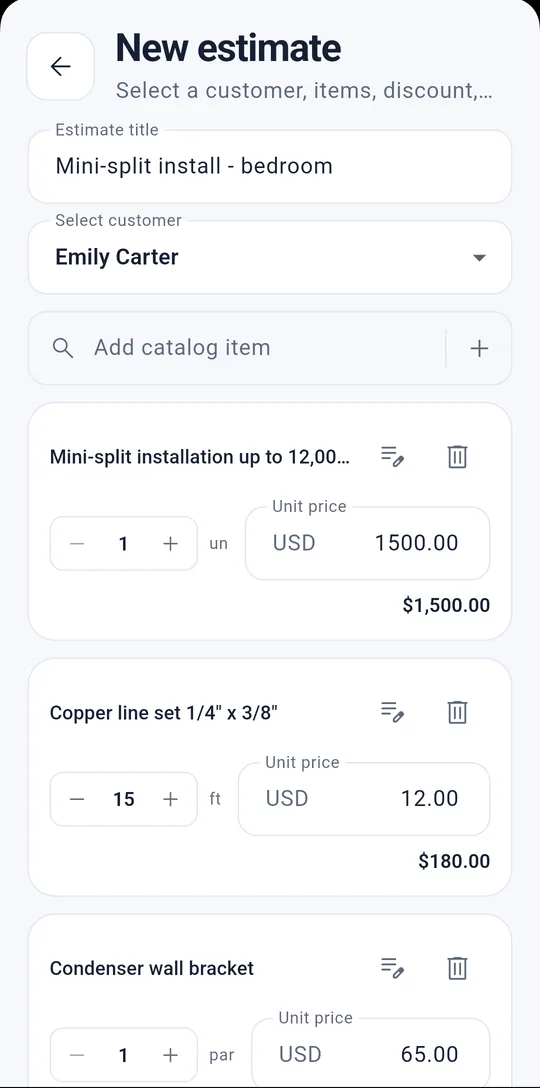
Building a quote in the Workaro app
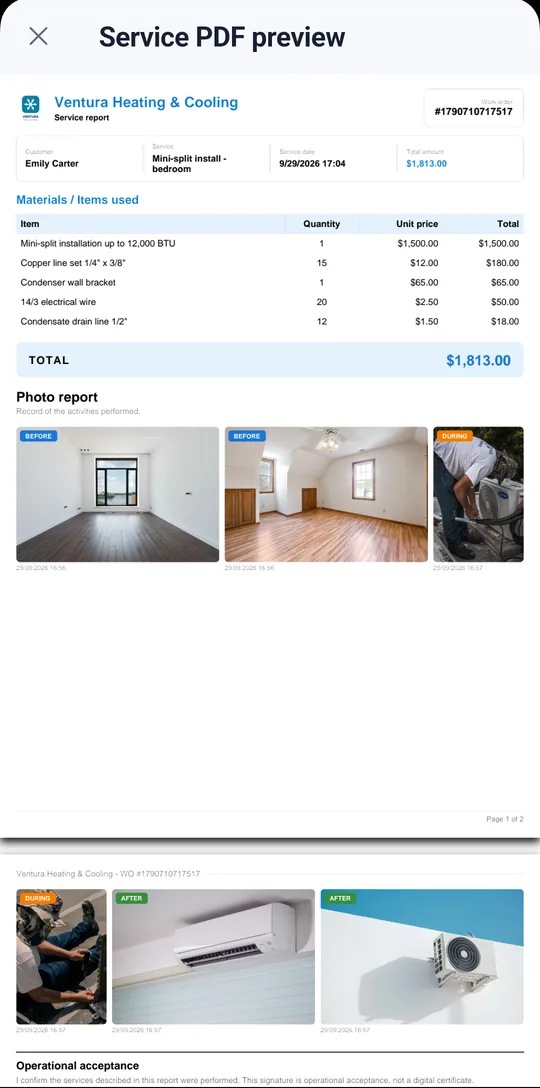
Workaro work order PDF with line items, photos and total

Built for pros who work on site:

HVAC and refrigeration Electrical Installation Home and building maintenance
Features

Everything your workday needs

One flow: no loose spreadsheets, no lost paper.

01

Clients

Every client's full history of quotes, jobs and payments, one tap away.

02

Quotes

Items from your catalog, discount and validity. Once approved, it becomes a work order with no retyping.

03

Work orders

Address, schedule and status for every job, from start to finish.

04

Photo report

Before, during and after photos to prove the work.

05

Client signature

Your client signs on your phone screen on completion, with name and date.

06

Professional PDF

Ready instantly to send by text, email or print.

07

Payments

Take full or partial payments: the balance stays pending, so you know who still owes you.

08

Sequential numbers

Quotes and work orders numbered in order (0001, 0002…), easy to find and reference.

How it works

From first contact to money in hand

One flow, eight steps, zero rework.

01

Client

Add in seconds, even on site.

02

Quote

Build line items and send for approval.

03

Approval

Client approves, you start the job.

04

Work order

Schedule and organize the job.

05

Photos

Capture before, during and after.

06

Signature

Client signs on completion.

07

PDF

Document generated automatically.

08

Payment

Log and track what's received.

In practice

See Workaro in action

Real app screens, from the quote to the PDF your client receives.

Quote on the spot
01

Quote on the spot

Build it from your catalog or add a one-off item. Quantity, price and discount right away, with the total always in view.
✓Catalog of services and materials
✓Percentage or fixed discount
✓Valid-until date and notes
Clients approve on their phone
02Pro plan

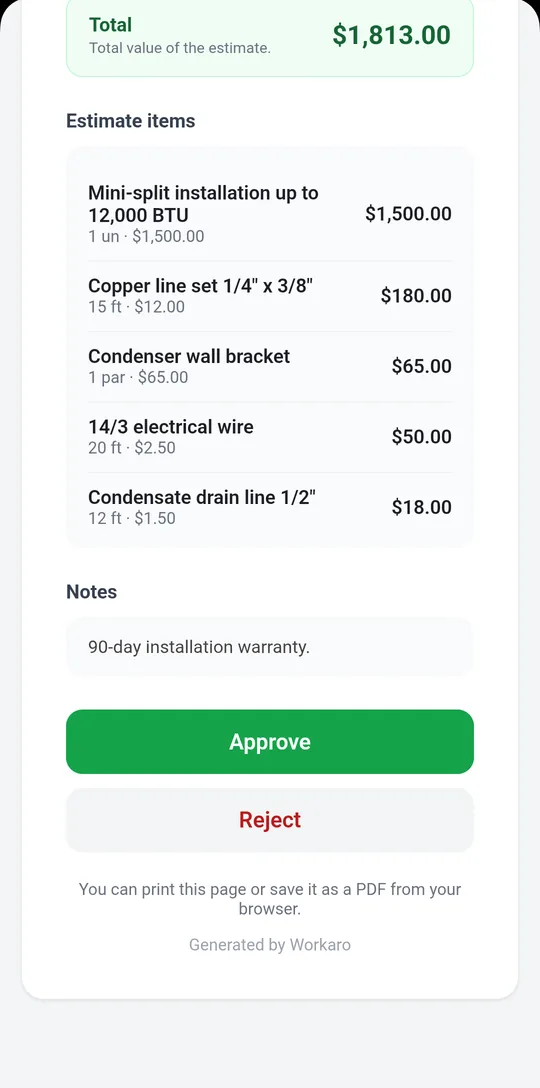
Clients approve on their phone

Send the quote link. Your client reviews the items and approves in one tap, no app to install, and you get notified.
✓Works on any phone
✓Approved quotes become work orders
✓No retyping
Before and after, every job
03

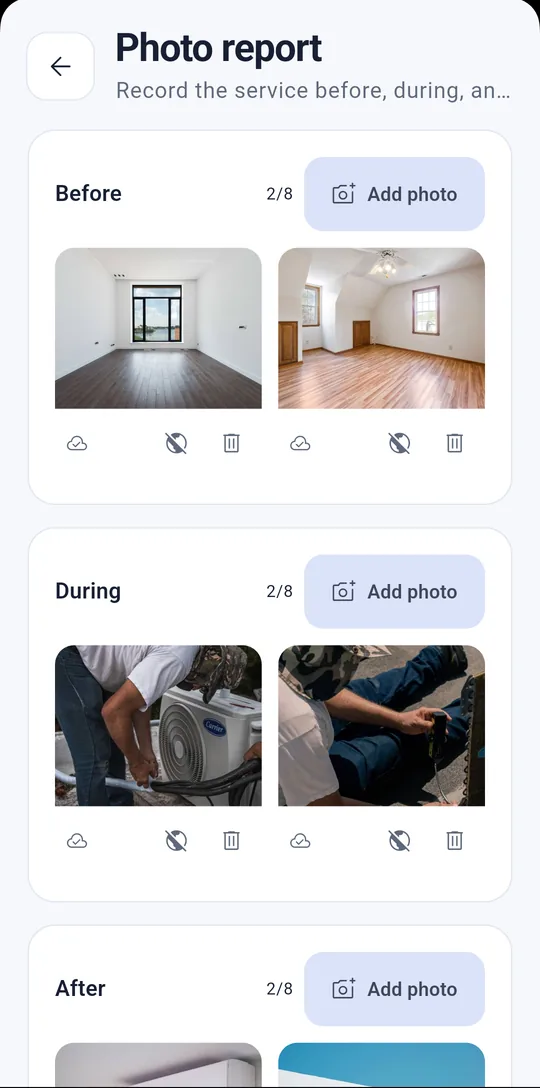
Before and after, every job

Take before, during and after photos. They go straight into the PDF report and prove the work.
✓2 photos per stage on Free, 8 on Pro
✓Date and time on every photo
✓Cloud backup on Pro
Signed on completion
04

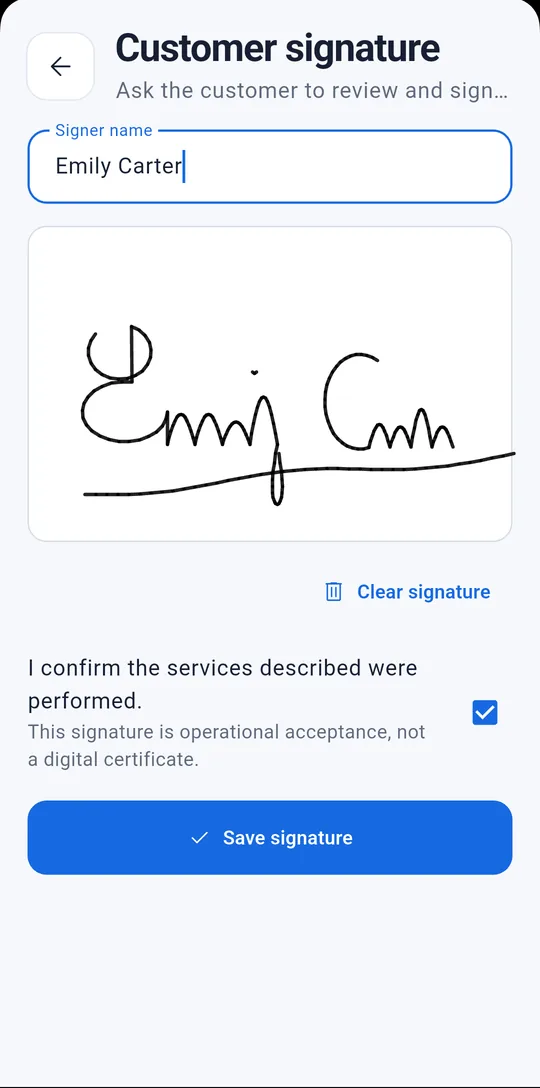
Signed on completion

Your client signs on your phone screen to confirm the job. Name, date and signature go into the final document.
✓No paper, no printer
✓Sign-off recorded in the PDF
✓Right there on site
Send the PDF in seconds
05

Send the PDF in seconds

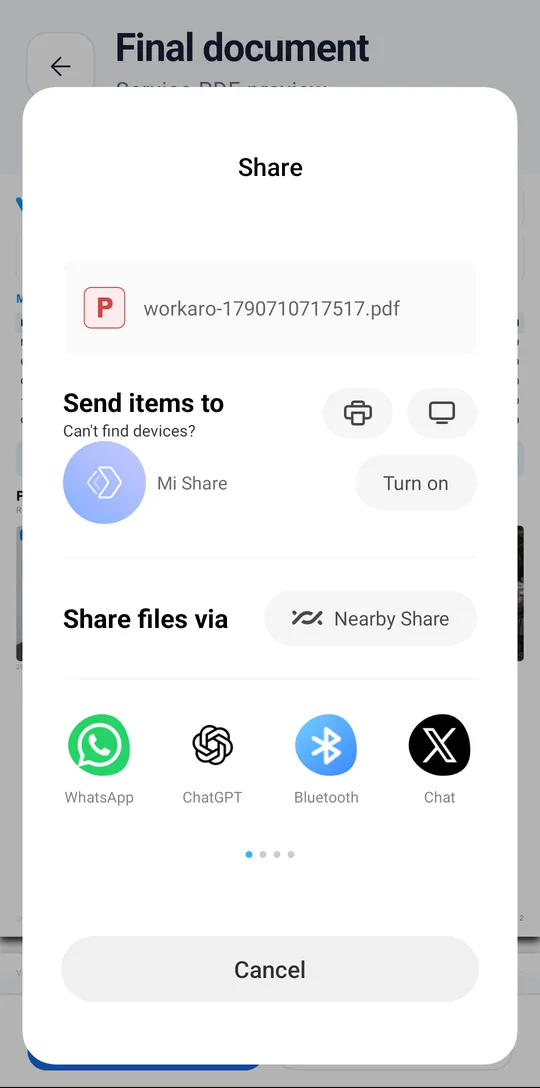
A ready document with your details, line items, photos and signature. Share it by text, WhatsApp, email or print it.

✓Professional PDF
✓Your logo on Pro
✓Share with any app

And the rest of your day, too

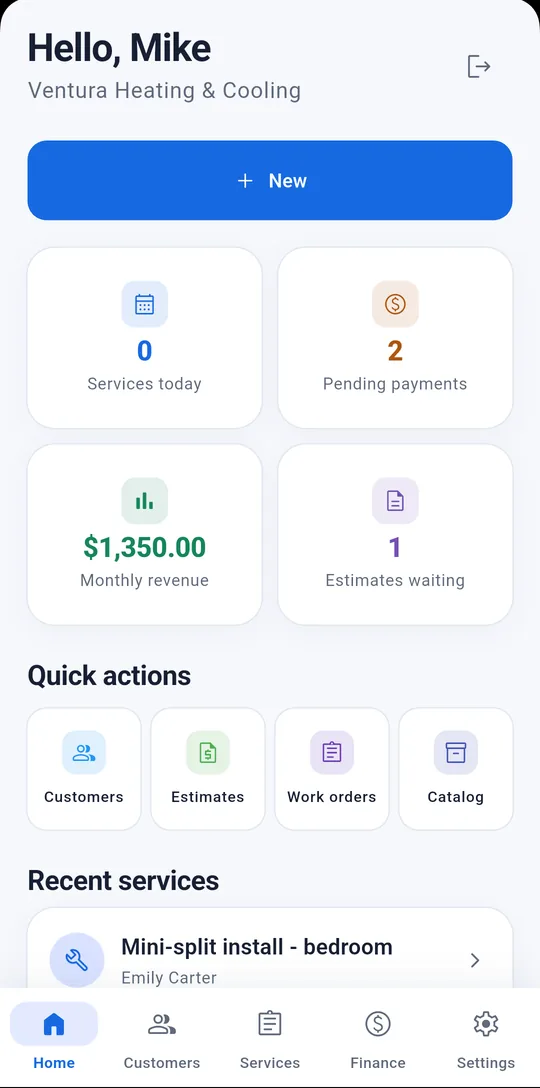
Dashboard with today's jobs, pending payments and monthly revenue
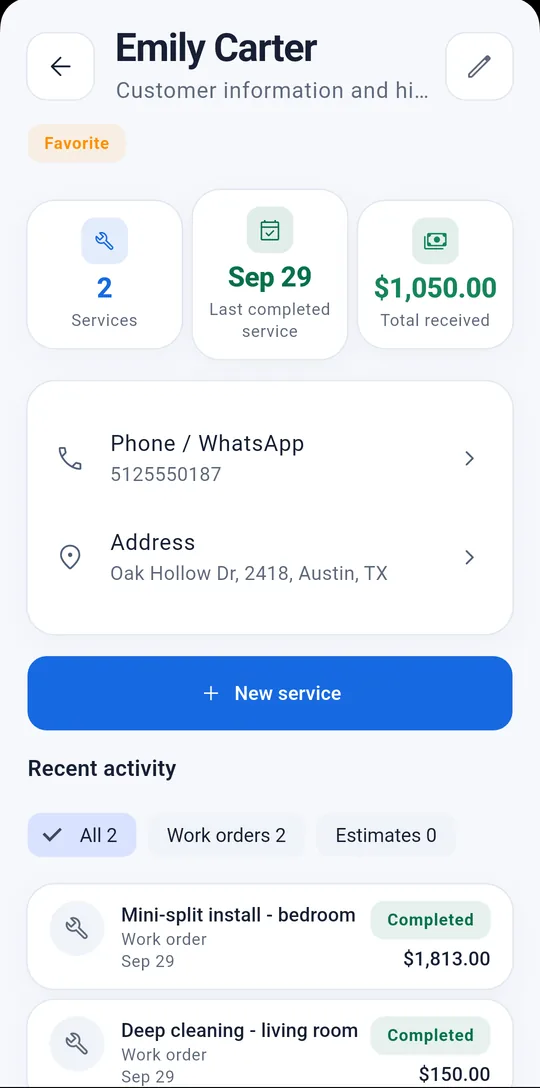
Every client's history: jobs, totals and payments
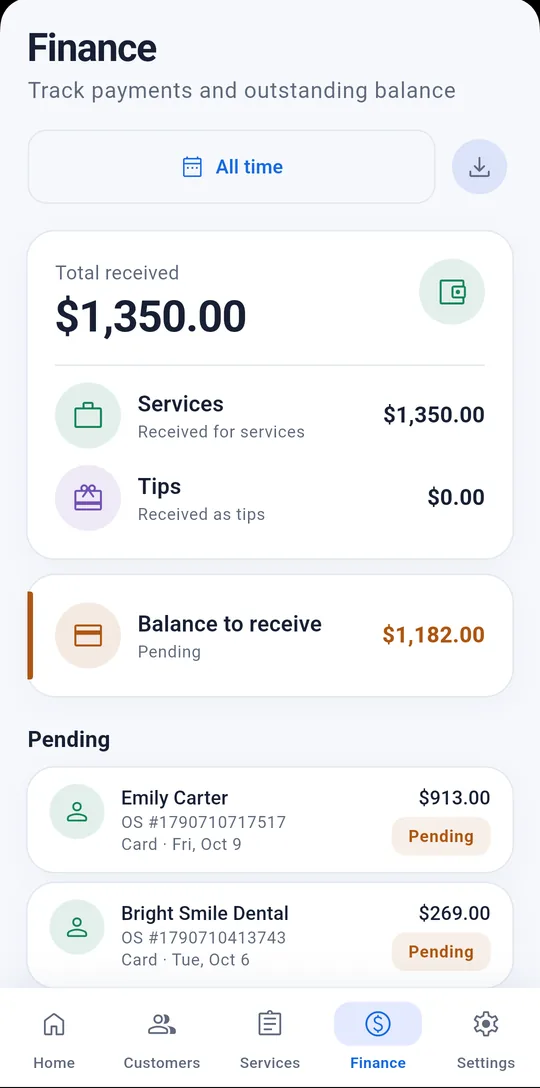
Finance: what's been paid and who still owes you
Pricing

Start free, grow when you need to

No lock-in. Cancel anytime on Google Play.

Free

Start with no commitment

✓Up to 50 clients
✓Up to 100 work orders
✓Quotes, work orders, photos, signature and PDF
✓No ads
✓Workaro branding on the PDF
✓2 photos per stage, saved on your device
Download free
For pros who live off their service

Pro

Monthly or yearly

✓Your logo on PDFs and links, no Workaro branding
✓A link for clients to approve quotes from their phone
✓Clients follow the job online
✓Up to 8 photos per stage and automatic cloud backup
✓Unlimited clients and work orders
✓Export all your data

The price is shown on Google Play. You subscribe inside the app, and the yearly plan costs less than paying monthly.

Download and subscribe in the app
FAQ

Frequently asked questions

Does it work offline?

Yes. You can add clients, build quotes and complete work orders with no signal. Everything syncs on its own once you're back online.

Are there ads?

No. Workaro has no ads on any plan: nothing pops up while your client is looking at your screen.

Does my client sign on paper or on the phone?

On the phone. The signature is captured on screen, on the spot, and added automatically to the job's PDF.

Can I put my own brand on the PDF?

Yes, on the Pro plan: your logo replaces the Workaro branding on the document your client receives.

Does it work in the US?

Yes. The app is fully in English, with US dollars, US address and phone formats, and payment methods like cash, card, check and Zelle/Venmo.

Do I need to set up a catalog first?

No. You can add the client and a one-off item right inside the work order. The catalog is optional and saves time on jobs you repeat.

What kind of work is Workaro for?

Jobs done at the client's place, like HVAC installation and maintenance, electrical work, installations and home or building maintenance. For bench repair shops or auto repair, the app doesn't yet have serial number, IMEI or license plate fields.

How do I cancel Pro?

Directly on Google Play, anytime, with no fee.

Is there an iPhone version?

Not yet. For now, Workaro is Android only.

Stop losing quotes in chat threads

Download Workaro and take every job from first contact to payment, with PDF proof.

Get it on Google Play